Split Bills, Not Friendships.
From group dinners to weekend getaways, we handle the awkward math so you can focus on the moments that matter. Keep your finances fair and your friendships strong.

Key Metrics
Four prominent cards display the Total Shared Cost, Total Wallet Funds, the Top Spender, and the number of shared expenses logged.
What's Next Card
A dynamic and helpful card that automatically shows the next upcoming activity from the itinerary. It displays the date and description, and is clickable to reveal full details, including any attached e-tickets.
Settlements Card
This user-centric card simplifies the often-confusing question of “who owes who.” It’s divided into two clear lists: “Who Owes You” and “You Owe,” showing the final settlement amounts. The entire card is clickable, opening a modal with a detailed breakdown of how these balances were calculated.
Visual Summaries
Progress bars provide quick visual insights into “Who Spent What” (total paid by each member) and “Spending by Category,” helping users understand spending patterns instantly.
Other Features
Add Expense
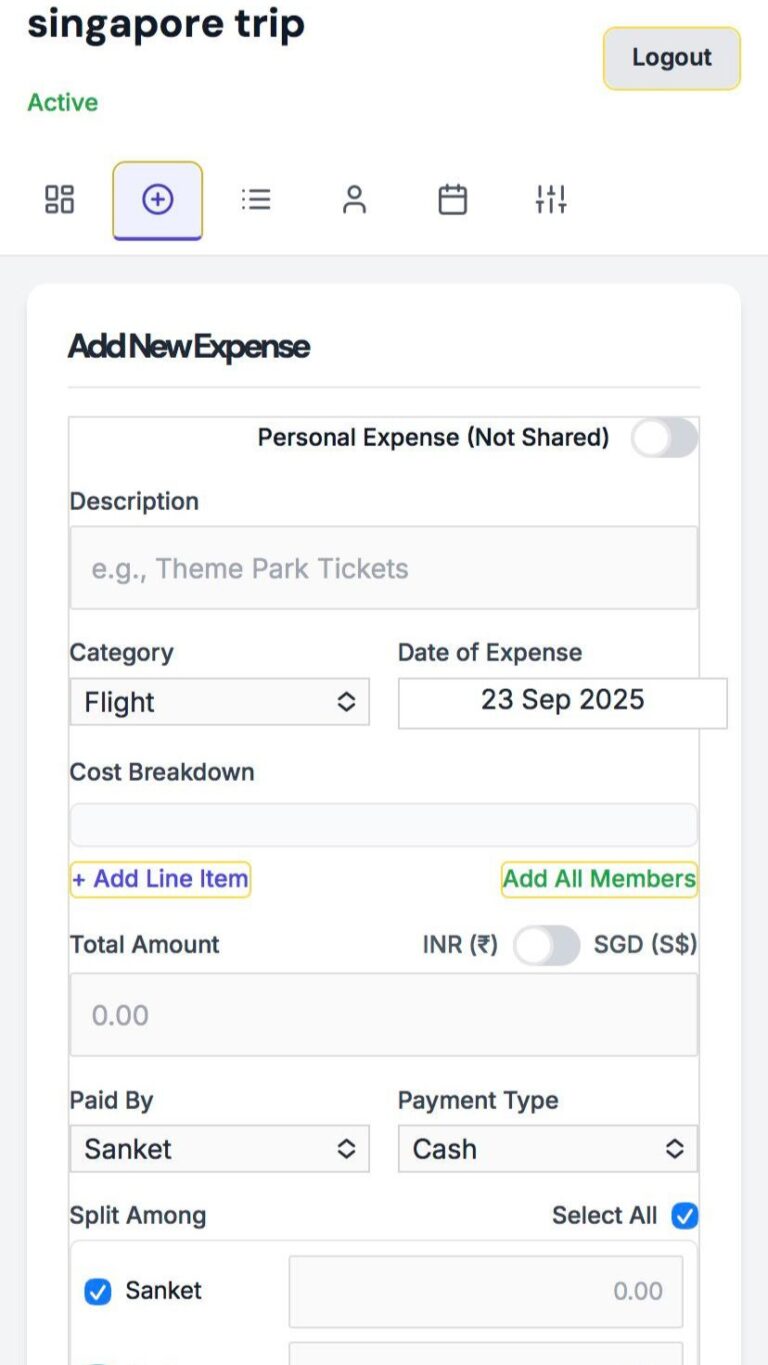
This is where day-to-day transactions are logged.
Shared vs. Personal: A crucial toggle allows users to distinguish between group expenses that need to be split and personal expenses that are for their private tracking only.
Comprehensive Details: Users can add a description, amount, date, category (e.g., Food, Accommodation), and payment type (Cash, Card, UPI, etc.).
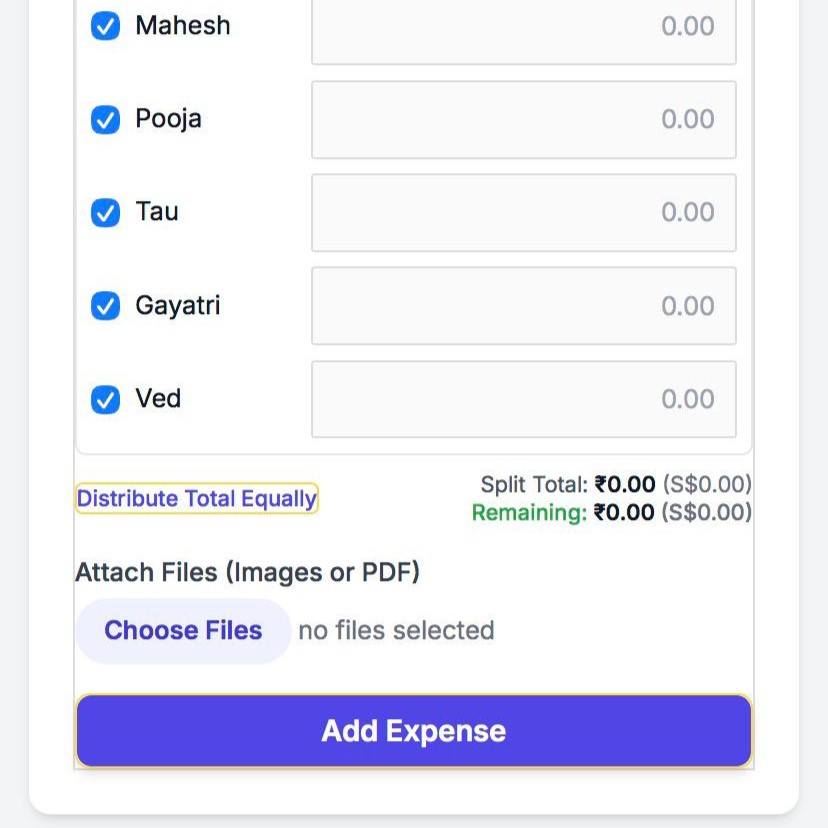
Flexible Splitting: For shared costs, the user who paid can select exactly which members to split the expense with. The total can be distributed equally with a single click or specified manually for complex splits (e.g., one person paying for two shares). A real-time calculator shows the remaining amount to be allocated, ensuring the split total always matches the expense total.
Receipts & Attachments: Users can upload digital copies of receipts or related documents (images/PDFs) directly to an expense entry for transparent record-keeping.
Expenses History
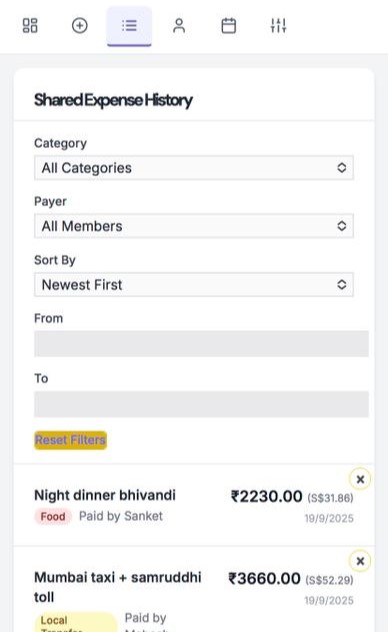
This tab provides a complete history of all shared group expenses.
All Expenses: Filtering and Sorting: This powerful feature allows users to easily find specific transactions by filtering the list by category, the member who paid, or a specific date range. Expenses can also be sorted by date or amount
Detailed View & Deletion: Clicking any expense opens a modal with a full summary. Trip admins have the ability to delete incorrect entries, with a confirmation prompt to prevent accidental removal
Personal
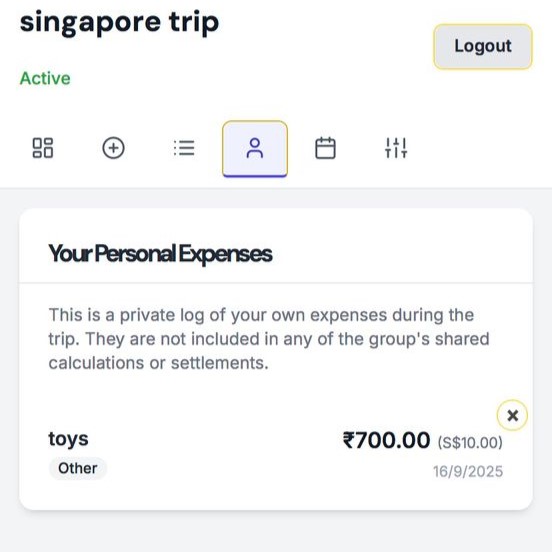
This tab is a private ledger for each user.
It lists only the personal expenses logged by the currently logged-in user, which are not visible to anyone else and are excluded from all group calculations.
Itinerary
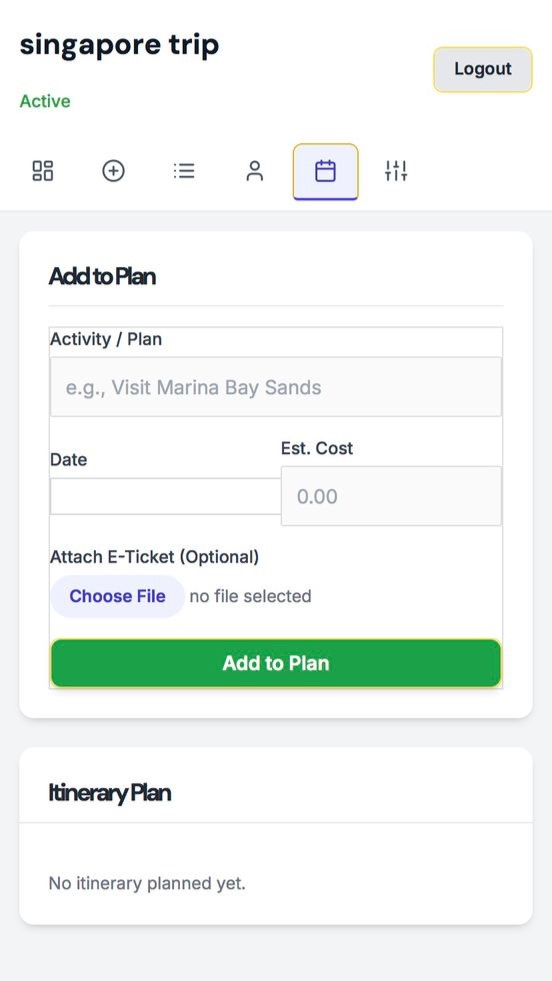
More than just a financial tool, the plugin includes a collaborative itinerary planner.
Plan Activities: Users can add scheduled activities with a description, date, and estimated cost.
E-Ticket Storage: When adding an itinerary item, users can upload an associated e-ticket (e.g., flight confirmation PDF, event QR code image). This keeps all important travel documents organized and accessible directly within the planner.
Settings
This tab contains the administrative controls for the trip.
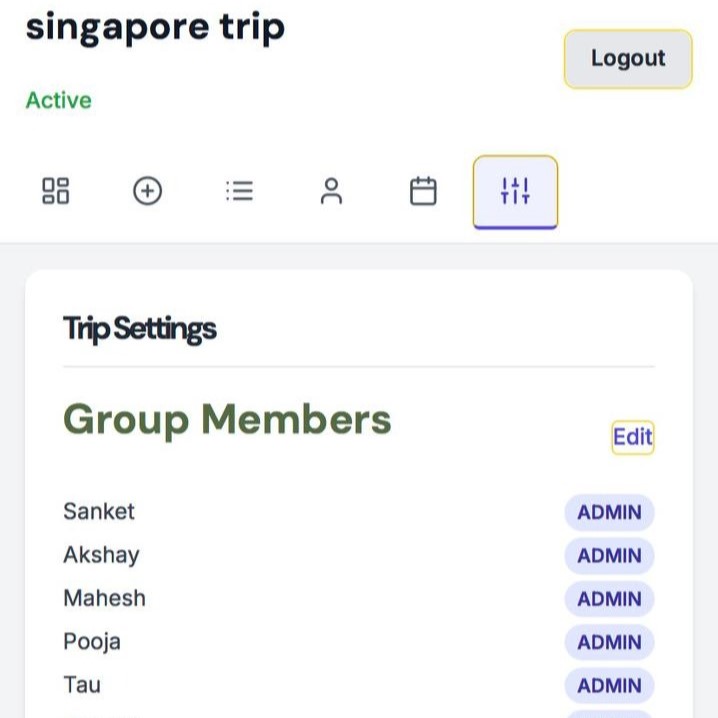
Member Management: Trip admins can add new members, assign roles (‘admin’ or ‘member’), and remove participants.
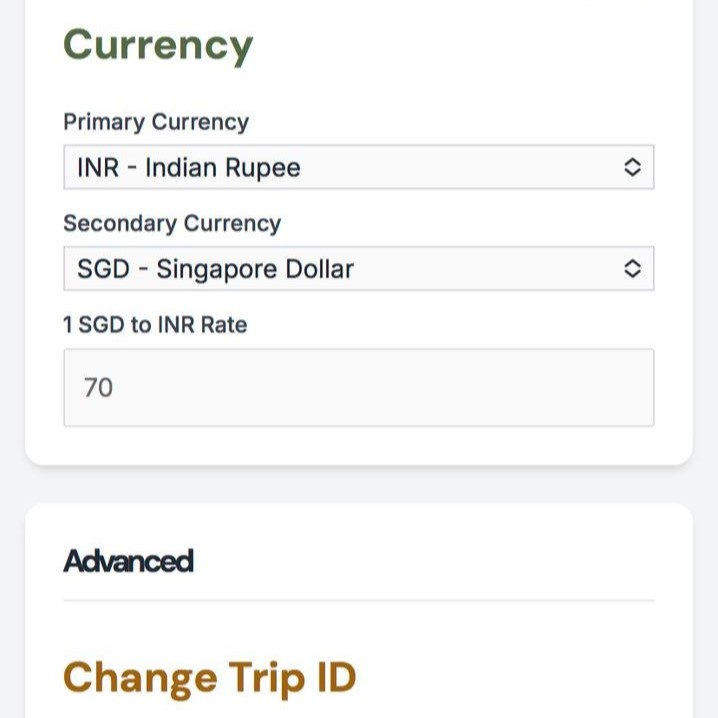
Currency Customization: The plugin supports dual currencies. Users can set a primary currency for all calculations from a preset list. The secondary currency can also be chosen from the list or defined as “Custom,” allowing for any currency code and symbol. An exchange rate can be set to display equivalent values throughout the app.
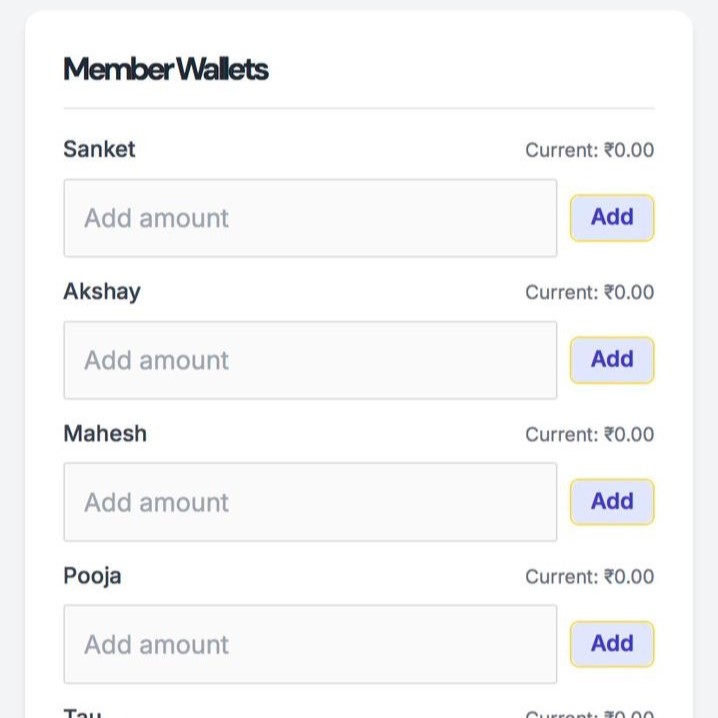
Wallet Functionality: Admins can manage a virtual “wallet” for each member, representing cash they’ve contributed to a group pool. This balance is automatically factored into the final settlement calculations.
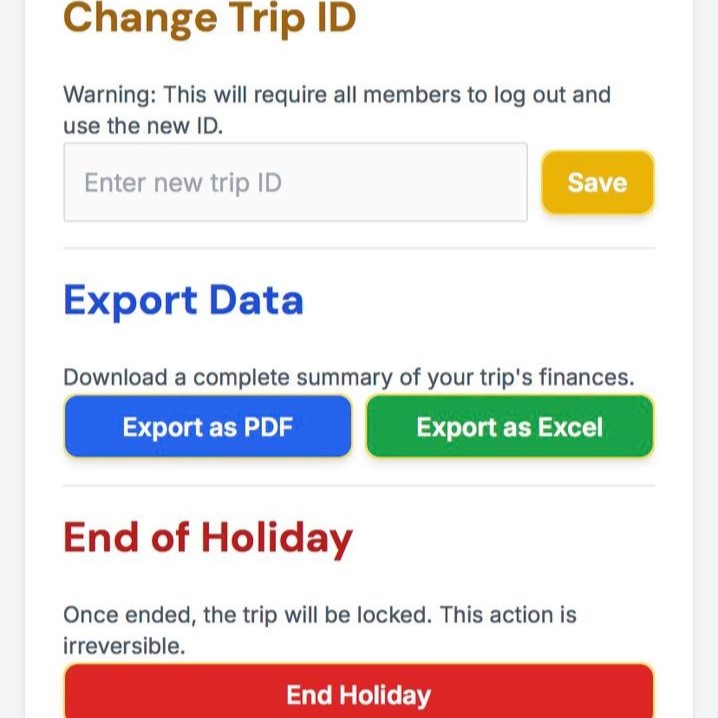
Data Export: For official records or offline analysis, users can export a complete financial summary of the trip to either a PDF or an Excel spreadsheet.
Trip Controls: Admins can change the Trip ID if needed or officially “End Holiday,” which locks the entire interface into a read-only state, preserving the final accounts.